Pages

Wednesday, 3 December 2014

Final Class Tonight: Would you give a student extra marks for going the Extra Mile?


THIS actually happened to me 48+ hours before the last class!

OOPs my jobs new laptop screen by cactusbones, on Flickr
Creative Commons Creative Commons Attribution-Noncommercial-Share Alike 2.0 Generic License   by  cactusbones 


Ok…I know you are not supposed to leave things until the last minute but I thought 3 days before the assignment was giving me enough time…turns out – this is what happened

Sunday 9am
Working on gathering pictures for my presentation and deciding how I will make my video interesting and funny!
Sunday 3pm
Going to start recording my presentation on Movie Maker.  It is recording audio but no video.  Or, only video and no audio.  Great!  Tried to shut down and re-start, etc.  No luck! 
Sunday 6pm
Going to try download a new version of Movie Maker from website.  Turns out I downloaded a version from a website that had malware (advertising).  It basically stalled out my computer.  Ads were popping up all over the screen. 
Sunday 8pm
Shut down the computer.  Turn to completing my script for the presentation.
Monday 8am
Goto IT dept and explain the issue.  They decide to re-image my computer.
Monday 12 noon
Get my computer back.  Working fine.  Movie Maker not appearing.  He said they re-installed it.
Monday 1pm
Take computer back down to re-install Movie Maker.
Monday 3pm
Confirmation that Movie Maker installed.  Pick up computer but ask him to show me that it is installed and working.  He turns computer on and it turn to a black screen.  He tries logging in again and it won’t turn on – it only reboots, over and over again.
Monday 4:30
He says, “sorry, our day is done.  I think your hard drive is shot!  I will have to look at it tomorrow!"
Monday 4:40
I beg him to give me a spare computer in place of the old one.  He gives me an old computer that they could spare for a couple of days.  Nothing is loaded on the computer so I have to do it all on my own.
Monday evening
I’m freaking out because I have someone else’s computer…I don’t have the things I need on this computer.  I had everything saved on my “favorites” so I can’t remember anything about our class!  Stressed!
Monday evening
Continue working on my script for the presentation until midnight
Tuesday 5am
Wake up early & continue working on project.
Tuesday 8am
Take muffins for the guys in IT because I feel bad that I was bothering them so much on Monday…plus I want my old computer back today!
Tuesday 8am
Realize that computer will not be ready so I have to just do a Powerpoint presentation – it’s not going to be as good as Movie Maker but it will have to do at this hour!
Tuesday 3pm
Receive email that my computer is ready!  He says he did not have to replace the hard drive – they re-imaged computer again because they ran a scan and everything seems to be ok…for now…
Tuesday 4pm
Start recording my voice over top of powerpoint presentation using Screencast for the first time ever! 
Tuesday 6:30
It’s taken me about 12 re-takes…I’m out of time!  This last “take” is going to have to be good enough! 
Tuesday 6:40
I blast out of the office and fly down the stairs…running to my car.  Hoping that I can make it to the University in time for our 7pm class!
Tuesday 6:45
Rip out of the parking lot to the University!
Tuesday 6:59
Find a parking spot and put $2 in the meter.  It says 30 minutes!  I look, oh, it’s only a 30 minute parking spot!  Nice.  Hope I have enough change for the next meter!
Tuesday 7pm
Run into the Education Bldg.
Tuesday 7:02pm
I see smiling faces and a wonderful table of pizza (heavenly!  I’m starving and my voice is raw from recording my audio for the last 2 hours!).  Smile and nod...nobody knows what I've just gone through in the past 48 hours!
Tuesday 7:15
A great evening of great food and conversation.  Thank you Alec for your generosity in buying us pizza!  This is greatly appreciated.

Sunday, 23 November 2014

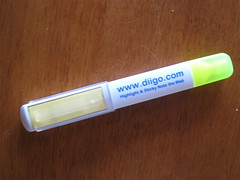
Major Project: Someone asked if Diigo is better than Pearl Trees. Here’s what I had to say.

Highlight the Web With Diigo by cogdogblog, on Flickr
Creative Commons Creative Commons Attribution-Share Alike 2.0 Generic License   by  cogdogblog 


Someone asked if Diigo is better than Pearl Trees.  Here’s what I had to say. 
The answer is they are both great social bookmarking tools.  I think they are both reliable and do similar things.  It depends on which one you are most comfortable with.  I had no experience with either of these tools.  So, I chose Diigo because my Professor, Alec Couros suggested it and once I started using it, I felt very comfortable with the tool.  I did watch some videos on Pearl Trees and it looked good as well.  When I started using Diigo, it was easy to bookmark things of interest to me and Diigo provided me with a free teacher account with free storage, I started using it and never looked elsewhere.  Research on Google had the two rated very similar. 

Here are some of the functions that I really like:

1)     I liked it because it was easy to login and use.  I was able to save, bookmark, share and annotate documents directly from your browser and they are stored in a list on your diigo page. For example, I can highlight portions of the page and even put a sticky note on the page!  A recent upgrade allows for annotation on PDF’s which is a handy feature in my work and as a student going to university!    

2)     I like the screen capture option which you can save independently or attach it to the specific webpage.

3)     I applied for a teacher account and within a couple of days, I was given access to a lot more  storage space - all free!  As a classroom teacher, I can add student names (email addresses or Diigo accounts not required).  As a coordinator, I can invite other teachers to one of my Groups.  The one I created is called, “Mr. B’s Special Education Resource Library”.  https://groups.diigo.com/group/mr-bs-special_education_resources_fiap-vap-dc-and-slc

4)     My library can be shared privately with people I invite or I can make it open to the public.  Other professionals can look at my resources and they can even add some to my page.  As the only person who has Administrative rights to the account, I can control who or what is posted and if I want to exclude someone, I have the ability to do so.  It’s easy to add tags so you can search for topics more easily and add comments on links as well!

5)     Organizing my topics and/or research directly into my folders or Lists as they call them is simple and it has the feature of “tagging” items so that they are more easily searchable. 


6)     Now, this is all wonderful but would you believe that Diigo can actually expand your Professional Learning Network too?  Well, I found over 1000 different links to different groups.  If you are new to developing my PLN, this is a great place to start!  I was so pleased to be able to find other Special Educators all in one location!  Here are the 4 that I have decided to follow for now!  I’m so excited to be a part of their network and look forward to expanding mine! 

a.     AT in SPED - https://groups.diigo.com/group/at-in-sped : A group geared toward finding and sharing information about AAC research, communication and Assistive Technology.

b.    Technology for Special Education - https://groups.diigo.com/group/aac-in-special-education

c.    Special Ed in the 21st Century - https://groups.diigo.com/group/special-ed-in-the-21st-century  No Child Left Behind? Web 2.0 can be an outlet for these often 'Left Behind' voices. Resource supplement for a Ning network with the same name: http://21stcenturysped.ning.com/

d.    Diigo In Education  https://groups.diigo.com/group/diigoineducation

7)      Hot Bookmarks from the Library are listed under the “Community” link.  This has been so helpful for me in this class because I can search by interest (e.g. special educators) and it provides me with a list of interesting articles!  I have been able to search areas of interest and save them to my library but also tweet out the interesting articles.  At the beginning of this class, I would always wonder where fellow classmates would find such interesting articles!  Wow, this only took me until November!! 


Saturday, 22 November 2014

My First Chat Experiences: #Saskedchat & #Spedchat


My First Chat Experience:  #Saskedchat
 

I don't know what I thought of Twitter at first but it didn't make a lot of sense for me.  The turning point for me was connecting to people that I was interested in following.  This seemed to take a while - it wasn't instant for me.  However, once i found a couple of communities i was really interested in, it turned my world upside down!  I can't stop looking at Twitter, in particular, these 2 chat groups!  I'm sure there are more but beginners must start somewhere! 

My first experience with doing a chat was about 3 weeks ago on a Thursday evening with #Saskedchat.  I I didn’t know anything about what this chat was going to be about.  At first I thought it was like our on-line class (please don’t laugh…) so I turned up my volume button thinking people would be talking about various topics!  I feel so dumb telling you this!  I then realized that people were chatting about various topics listed as:  #1, #2, etc.  I tried sending some Direct Messages to people but nobody responded so then I thought to set up a column on my Tweetdeck and this helped me to sort out the conversation(s) that were going on!  I finally got up the courage and tweeted out that I was a “newbie” and then like the flood gates opened, my twitter account just kept buzzing and buzzing!  People were saying “Welcome” and let me tell you…I felt overwhelmingly welcome!  I thought…what an awesome group!!

The conversation was very rich with pertinent education topics.  That week we talked about designing learning spaces and looked at different issues surrounding this.  We also covered classroom management issues.  Great topics and great information shared.  I couldn’t believe how much information people were sharing back and forth!  I couldn’t figure out how people could find information so fast while this was all going on!  I think it had to do with people preparing ahead of time and knowing what questions/topics were going to be covered.  I joined this group on Google Plus and now I can vote on the weekly topics, which is really cool. 

I am overwhelmed at how people on this chat are so incredibly inviting and willing to share.  If you have any questions or issues you want to discuss, they are more than willing to help.  I use the word “overwhelmed” to describe how I feel about this type of sharing amongst colleagues that you don’t even know!  For example, there were people sharing resources and websites that they had put together!  The next thing that just blows my mind is that you can check out and follow some of these brilliant people and look in to their twitter accounts to see what they know and who they know.  This had led me to some fantastic people, knowledge and resources!!  This is so exciting for me and I am forever grateful to ECI831 and the many contributors to Saskedchat!

My Second Chat Experience: #Spedchat

On November 11, we had no class due to Remembrance Day.  I sat down at my computer to join a chat that happens at the same time as our class 7-8pm.  Spedchat is mainly a group of special educators from around the world.  I found this group after doing a search for special educators a few weeks prior and realized there was a chat that could be interesting.  This turned out to be true! 

I found the resources such as news articles, book suggestions, critical reviews, personal reviews/blogs, etc.  I was able to save many of these articles to my Diigo library of resources and have shared them out with my fellow colleagues already! 

This quiet “chat”, as I like to refer to it, is a really effective tool that I will continue to follow in my career going forward!

Thank you for reading my blog.

Tuesday, 18 November 2014

Major Project: Special Education #Hashtags & Twitter


Major Project: Special Education #Hashtags & Twitter


To think that only 10 weeks ago I was introduced to Twitter.  I really didn't see what all the hype was about.  I started following people and some things were interesting but I found things like news websites more interesting.  I was surprised how many people followed Twitter but I couldn't figure out why they would find this interesting.  I had no time for this and it just didn't make sense to me! Frustration!  When would I fit this in to my already busy life!? Grrr!!  My first impressions of Twitter were just not great...in fact, very frustrating!  I found reading blogs in our classroom more interesting - now this I found impressive!  In fact, it was a bit intimidating because all of you could write up a storm!!  However, with all the rave about this #Saskedchat, I thought I would tune in one Thursday evening.  This was definitely a turning point for me as I was welcomed in and was truly impressed with the chat!  TSN Turning point for me!!    

THEN....
2 weeks ago - Remembrance Day Tuesday, I just happened to be following someone who said to join them for a Special Education Chat (#spedchat).  It's the same time as we have our class but because our class was canceled last week due to Remembrance Day, I joined in!  Well, this just opened MY EYES to TWITTER!  I found a bunch of people who are special educators and I started following them and sharing resources!  NOW I GET the whole Twitter thing...and honestly, i'm hooked!

I feel bad that it took me so long to figure this out but that's just the way it goes sometimes.  I found this class to be very challenging for me because I am not very technologically inclined.  I found it hard to keep up in ECI831 and I had many technological setbacks along the way that consumed so much time.  However, when I look back now, I'm a little embarrassed at how long it took me to get involved in Twitter.  Funny how you can go from Frustration to Addiction, all in a matter of weeks!  haha!

As promised, I've created a list of 20 hashtags - I know there is probably more but I thought it might save newbie Special Educators some time!  Please add if you have additional hashtags!

Special Education #Hashtags

#specialed
#slp
#speducate
#braingym
#learningdisabilities
#ece
#specialneeds
#gifted
#autism
#aspergers
#cerebralpalsy
#tck
#dyslexia
#adhd
#add
#mentalhealth
#differentiated
#inclusion
#asd
#autistic


Monday, 17 November 2014

Major Project: Initial Feedback/Responses

Initial Feedback/Responses

Vote Now Show cake by BBC Radio 4, on Flickr
Creative Commons Creative Commons Attribution-Noncommercial 2.0 Generic License   by  BBC Radio 4 


 I have emailed and Tweeted approx. 25 teachers with whom I work with to look at my Diigo Library.  The response thus far has been very positive.  Here are some comments:   

1)      “Diigo is a fantastic tool to be able to help organize different information and research that is needed.  Diigo is user friendly.  Thank you for suggesting I look into using Diigo as a platform for storing and using information.  I appreciate having a web-based platform to upload resources, articles and journals  that I can access with any device I am using.  Very beneficial to be able to access all resources at my fingertips.” 

2)      “I checked out the library and appreciated how easy it is to navigate.  Diigo similar to iGo that we use at Knoll.  I’ll keep perusing.”
3)  "I've been considering using this bookmarking tool and now you've talked me into it. Thanks for the inspiration!"

The responses haven't come flying in...I would like a few more comments from teachers!  I'm hoping it is because they are busy with report cards/IIP's and not because they are disinterested!  The goal of creating the library was to be able to store and share resources as a community of learners and be able to expand our personal/professional learning network.  I am excited about the possibilities and can't wait to see where this goes!!

This is the letter that I sent out to teachers:

Check out this Library of Special Education Resources

Hi Everyone,

Back in September I mentioned in our first meeting that I was taking a university night class on Social Media and Open Education.  We are learning about  many amazing tools that can help us, as teachers, to share and grow our own learning!  The major project that I took on has been based on the gathering of and sharing of resources.  I wanted to create a website where I could share out these resources but then my professor said that a “static” web page was a good idea but it is past tense!  In other words, a web page was the way we used to do things and it only allowed for the “curator” or designer of the web page to put what thought was important onto the site.  I didn’t realize this but it was recommended that I look around at different tools such as the one you are encouraged to look at.  The new technological age we live and navigate it promotes more sharing and collaborating of resources! 

Hence, the creation of a Library of Resources for Special Educators.  This is under construction at the moment but I need your help.  I only have 3 weeks left in my course (I have to be done by Nov 30th) and I’m needing you’re help:   

    1. Check out the library and provide me some feedback on it.  This can be anything...for example, what does it look like, how easy is it to navigate on, what are the resources like, what do you think of this type of sharing, would you utilize this type of thing, check out the Vocational Folder (or List),etc.  etc.  It’s ok to be critical and honest…that’s what it is all about.
    2. I will eventually be asking you to join up (get an account) so that you too can post things to the Library.  http:www.//Diigo.com  You need an account to be able to post things but not required if you just want to “snoop around”! 

Here’s the link to the library: 
https://www.diigo.com/user/kelly_brezinski

Here the link to sign up for Diigo:
https://www.diigo.com 

Thank you in advance.

Kelly 

Sunday, 16 November 2014

Major Project "Diigo" - DEVELOPING YOUR PLN

Developing Your Professional Learning Network
Using Diigo


When i started using Diigo, I was only focused on the bookmarking tool.  Being a non-technical person, it took me a long time to learn how Diigo worked.  When I met with +Katia Hildebrandt 2 weeks ago, she asked me how I was developing my PLN?  I didn't really have an answer because I had been so focused on learning how to use Twitter, Blogging, Diigo and the regular weekly guest speaker/topic.  When I came home that evening I started looking more deeply into what type of learning network I could join and what this would look like?
 
Developing my PLN has started with Diigo.  Diigo has a "Groups" section and I searched "Special Education".  It came up with 1032 different groups!  I spent a lot of time looking for good groups to join.  This was challenging but I narrowed it down to: the membership (how many people involved) and the various topics within.  Almost all of the groups were open to the public but I did have to register with 2 groups to join.  I was quite fascinated with the concept of joining all of these various groups and to see how people share resources today!  This is something I had no idea existed.  This type of learning and sharing is new to me but so very exciting!  I can't wait to join more groups but for now, I've just joined 4 or 5. 
 
Within each Group, I have taken advantage of reading and sometimes tweeting out various articles that I come across and save some to my library.  I've also posted a couple of articles to each website of articles that I thought pertained but at this point I have a short list of resources to share so I have been mostly reading and bookmarking other educator resources. 
 
To learn more about Sharing - Building a Personal Learning Network here's a short, 2 minute video. 


My Major Project: Step 1: Simple Steps to Set-up Your Diigo Account


Step 1:  Setting up my Account & the Diigolet Toolbar
 

Step 1 is to sign up for this amazing free site, goto:  (www.diigo.com/signup) .  This was a quick process as you simply sign up and wait for the activation email to be sent to you.  I thought that was all I needed to do but I couldn’t bookmark anything!  It kept taking me to this empty library!  I then realized that what I needed to do was load the “Diigolet” tool.  The reason this is a separate step is because it depends on what type of browser you are using (ie. Firefox, Safari, Internet Explorer).  I used Internet Explorer.

Step 2:  You will need  to install the Diigolet tool on the tool bar.  This took me a while to figure out because I didn’t realize that the Diigolet is the actual tool that allows you to bookmark, highlight, etc.  The video showed that this was a straight forward step but this was for Firefox.  The Diigo Help site shows you how to install it in "All" browsers.  http://help.diigo.com/no-toolbar-simple-diigolet.
I was using Internet Explorer as my browser.  This loaded up for me but I couldn’t see it anywhere!  I did this a couple of times until I realized that I had to save it to my favorites and then it appeared!  Sounds like a simple mistake but , hey, I am just a rookie and I admit!  However, take this tip from my learning experience!   Once I managed this, it was so easy to use!! 

Note:  I’ve provided a link for a couple of the help video’s in case you run into the same challenge as I did. 
I'm attaching the Diigo Video Library in case you run in to some issues. 
https://www.diigo.com/learn_more/videos

My Special Education Resource Library is here:  https://www.diigo.com/user/kelly_brezinski